02 — Flipfox
Log a Find in Seconds
One question per screen. Photo, name, paid, target, confetti. Inside the add wizard, the buy meter, and the two modes for stuff you already sold or never bought.
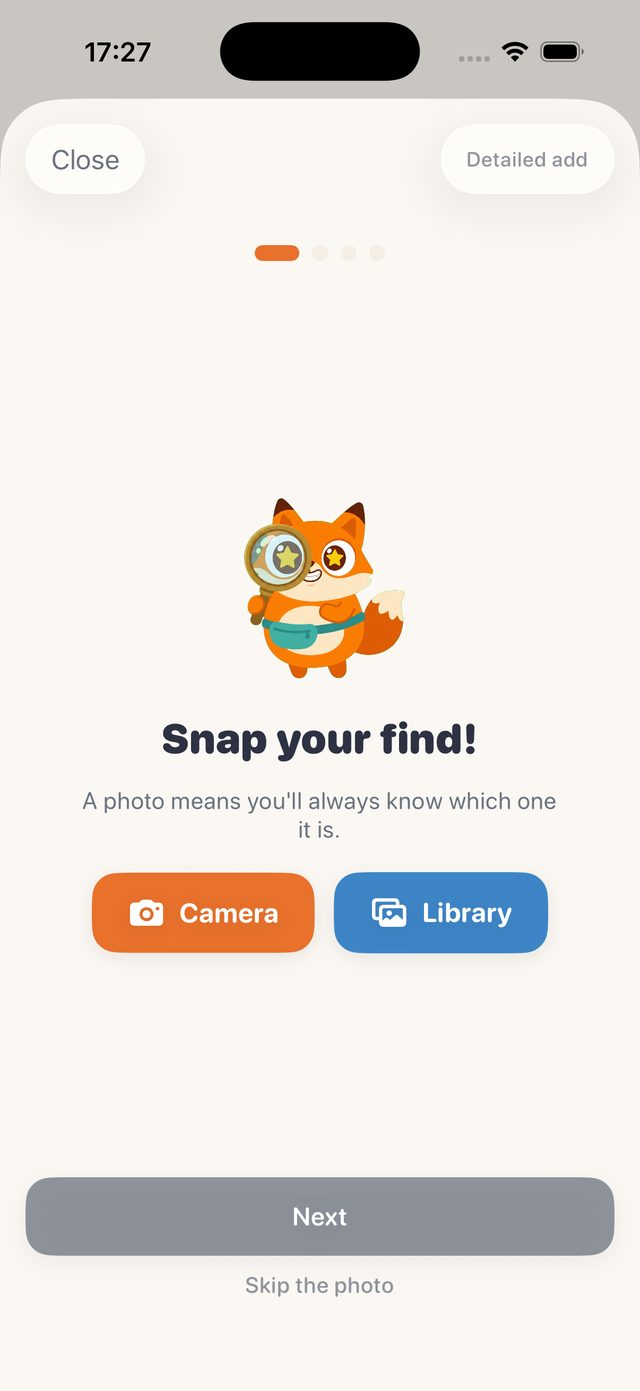
The default way to add stock in Flipfox is a wizard that asks one thing at a time. Snap the photo, or skip it. Name the item. What did you pay? What should it fetch? Then confetti and ten XP. Flip changes pose on every step, and the moment you type a target price he starts doing the maths out loud: the live ROI quip is the app's favourite trick, and it is the reason people log the item there and then rather than later.
The photo is camera-first because a photo is how you will find the thing again in a box of forty. Every item gets a SKU in the form FX-0001, and later, a storage location and a QR label if you want one.
The detailed add
Tap Detailed add and the full form opens. This is where landed cost is built up properly: purchase price, postage in, cleaning, other. The buy meter turns the target price into a verdict before you have paid for anything, so you can use it standing at a stall. The Organise card adds storage, owner, supplier and bale links, and the storage names you have already used come back as tappable chips so Box A1 stays Box A1 and the map and search keep working.
Bought a bale? Link every item to it and the bale's cost spreads evenly across them, with a recovery bar that fills as the pieces sell.
Already sold, or never bought
Two things trip up most trackers and Flipfox handles both. The first is backfill: you sold the item last week and never logged it. The add form has an Already sold toggle that takes the sale at the same time as the purchase, and Flip gives you the smug pose for it.
The second is clearing out your own belongings. Personal items need no purchase price, wear a house chip, live under a Clear-out filter in Stock, and trigger a Decluttered celebration when they go. Crucially, they are excluded from every business number: profit, ROI, the goal, Intel, sell-through and the tax estimate. Selling your old coat is not trading income, and the app refuses to pretend it is. Clear-out cash shows separately.
A photo means you'll always know which one it is.
— The wizard's first screen
Ways in that are not typing
Share any listing page to Flipfox from Safari, Vinted or the eBay app and the share extension drops the link into an import inbox. The app fetches the page, pulls the title, image, price and brand from its metadata, guesses a category from the title, and creates a stock item with the listing attached. Paste a link and the same pipeline runs. A public Google Sheet or a pasted CSV imports in bulk with automatic header mapping, and rows with a sold price are marked sold on the way in.