07 — Flipfox
Show Off the Flip
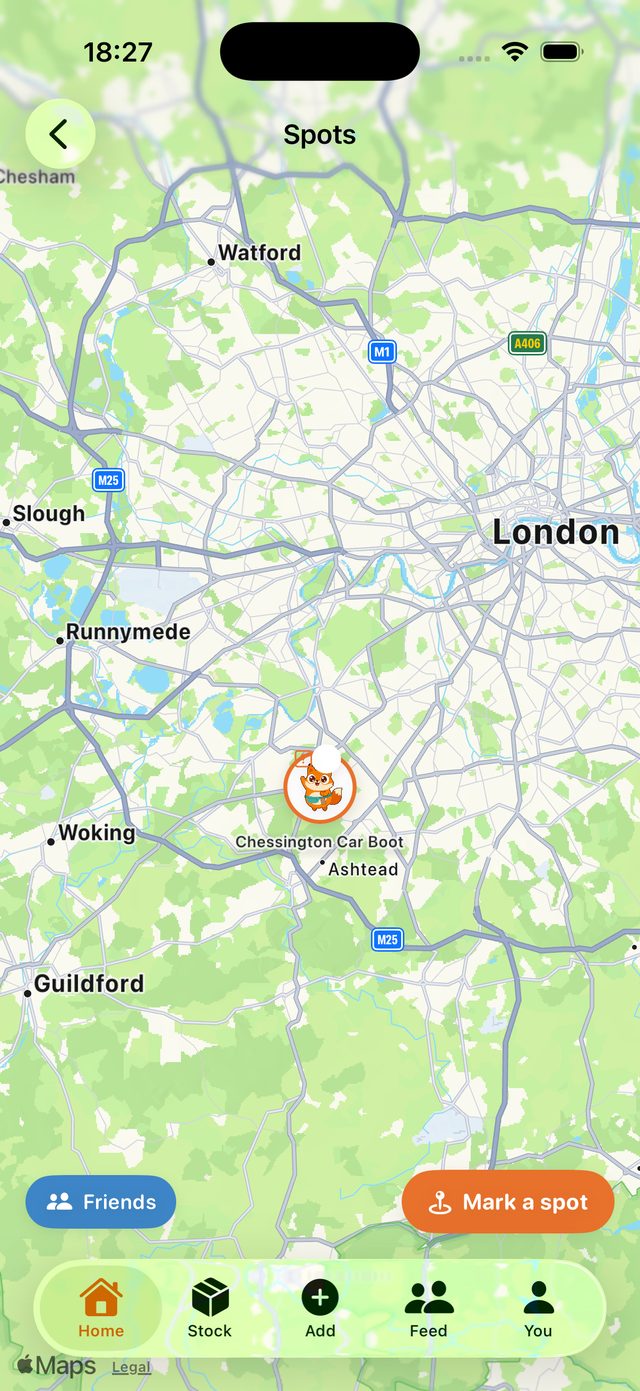
Finds, flips and hauls in a feed where every post from a real ledger wears a tick. Plus the Spots map: pin your hunting grounds and see where the resellers you follow are finding the good stuff.
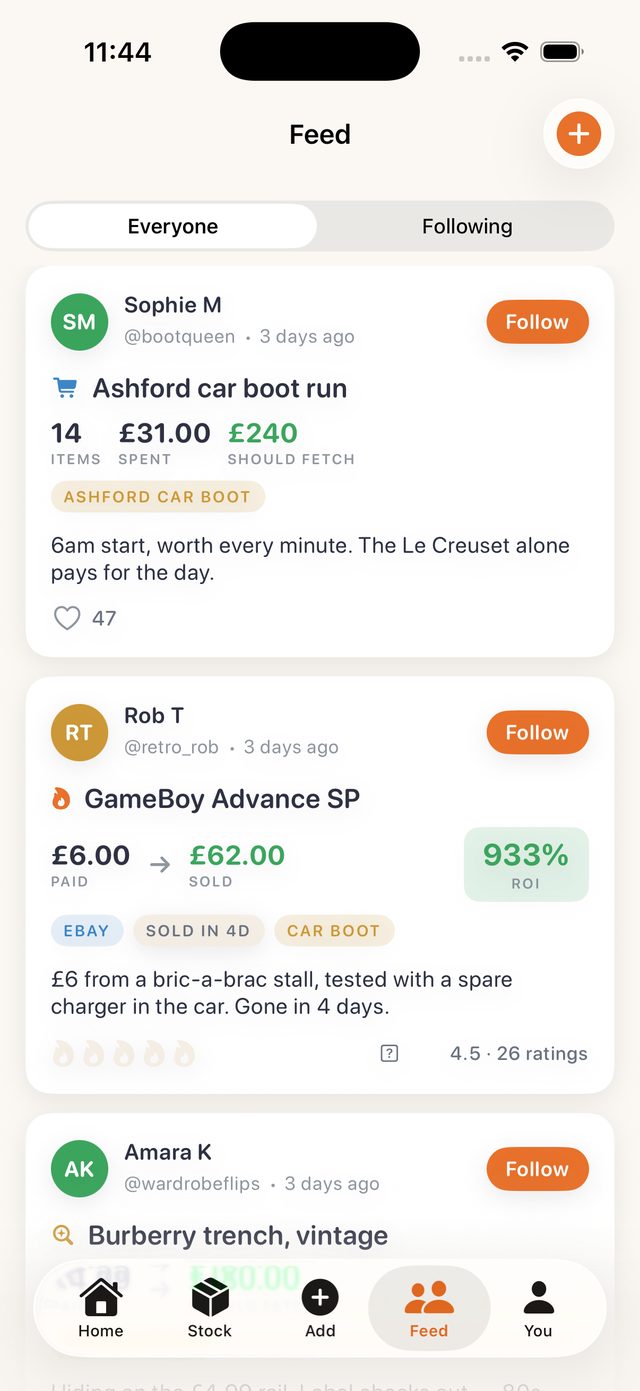
The feed has three kinds of post. A find: what you paid and what it should fetch. A flip: paid to sold, with the ROI badge, the platform, and how many days it took, rated by other resellers from one to five flames. A haul: a whole trip, item count, spend, and what the lot should bring back, with a little map of where you were.
The trust mechanic is the tick. A post created from your own ledger carries a verified badge, because the numbers came from the app, not from your keyboard. Anyone can claim a 933 percent flip. The tick means the app saw it happen.
Following and profiles
Tap any author and their profile opens: their posts, their records if they have chosen to share them, and a follow button. Your own profile shows the same, with privacy switches for profit, ROI and flip count. Avatars are a custom photo, a premade pack, or Flip himself.
The Spots map
The Spots tile opens a map with the noise turned off, no restaurants and petrol stations, just your pins. Mark a car boot, a charity shop, an auction house or a bric-a-brac stall by searching or dropping your current location, give it a name and a note, and it gets a fox-face marker with a badge for its kind. Orange is yours. Turn on Friends and the blue markers are spots from resellers you follow.
Trips are a separate, quieter tool: set a sourcing budget, quick-add finds while the trip is live and they are tagged to it, and ending the trip offers a haul post to the feed.
Rate the best flexes out of five flames.
— The landing page